What Is Audio Post-Production? A Producer's Guide to the Process, Deliverables and Specs
What actually happens between locked picture and a delivered master: the four stages, what to send at turnover, the formats and loudness specs that decide whether a spot clears QC, and what lands in the delivery folder.
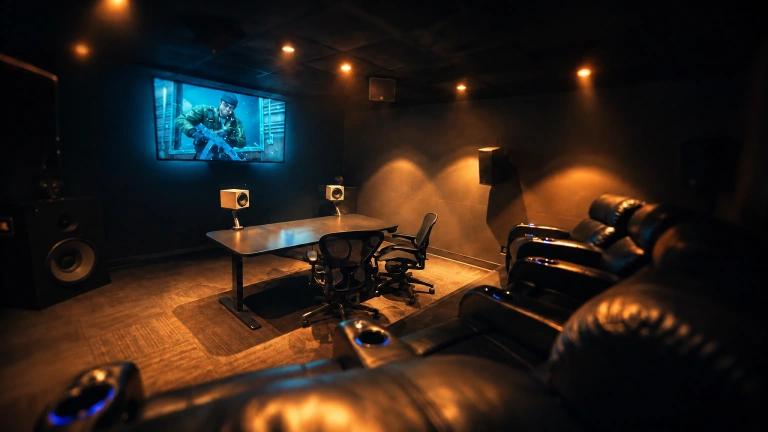
What happens during the audio post-production process?
Audio post-production is the process of editing, designing, mixing and delivering the soundtrack for a film, commercial, promo or other picture. It turns dialogue, music and sound effects into a clear, cohesive mix that supports the edit and meets the requirements of its destination.
For a producer, the practical questions are what to send, which decisions need to be made up front, and what files will arrive at the end. The process usually has four stages, and depending on the project they may overlap.
- Dialogue editing and cleanup. Production dialogue and voice-over are organized and refined: cuts smoothed, levels balanced, distracting noise reduced and consistency improved between takes or scenes. If a recording has a hum, click, rustle or background sound, cleanup can make it less noticeable. It cannot always recover a line that was never recorded clearly, so the team may flag a need for ADR or another recording.
- Sound design and SFX editing. Existing effects are edited to picture, and custom sounds may be created or layered where the visuals call for them. The work can add impact to a transition, establish an environment, or give an action a convincing sense of weight without distracting from the story.
- Music editing and prep. Music is conformed to the cut and prepared around changes in timing, scene transitions and key moments, so the track supports the pace and emotion of the picture rather than feeling pasted on.
- Final mix, or re-recording mix. Dialogue, music and effects are balanced together against the picture. The mixer shapes levels, dynamics, tone and spatial placement, then prepares the approved version in the required formats.
What should I include in an audio turnover?
A clean turnover gives the sound team the material and decisions needed to start without guessing. Missing session files, an unclear version list or a late picture change are the usual reasons a first pass slips, because the mixer has to resolve the handoff before mixing can begin.
- Locked picture if available. If the edit is still changing, send the current version and identify it clearly, including version number, frame rate, timecode and runtime. Confirm whether picture is expected to change.
- An AAF or OMF session, or consolidated WAVs. Include the relevant production audio and identify tracks clearly. Keep guide audio in the reference video for context.
- Music and approved audio assets. Include the intended cues and any approved sound elements, with notes about what is temporary and what is final.
- Reference video. Include a picture reference with guide audio and, if available, timecode or a clear version label so feedback can refer to the same frames.
- Delivery specifications. Share the destination's actual requirements for file type, sample rate, bit depth, channel layout, loudness and peak level. If there are multiple destinations, send each set of specs.
- Version list. Note required runtimes, tags, calls to action, language versions and any alternate or mono-compatible mixes.
- Schedule. State the deadline, review windows and who will consolidate or approve notes.
Which mix formats should I request?
For most broadcast and digital campaigns, 2.0 stereo is the principal format. It is a sensible default when the delivery is intended for ordinary TV, web or social playback, but the destination's specs should always decide.
Request 5.1 surround when a broadcaster, streaming delivery, theatrical placement or project brief calls for it. 7.1 and immersive formats may be appropriate when a specific placement requires them. A mono-compatible version can also matter for playback systems that collapse stereo to one speaker; confirm whether the client or destination requires one.
For a campaign going to more than one platform, the mix may need to be conformed into several versions. Those versions can have different channel layouts, loudness targets, runtimes or end tags, and they should be checked as distinct deliverables rather than treated as one file renamed for each destination.
What do loudness and true peak specifications mean?
LUFS and LKFS are units used to describe perceived loudness averaged over a program. The terms are commonly used for the same kind of measurement; LKFS is the term used in ATSC broadcast guidance.
For U.S. broadcast, -24 LKFS is the typical target under ATSC A/85 when no different agreement or metadata arrangement applies. That is not a universal target for every outlet. Streaming, connected TV and social platforms have their own requirements, and those can differ by service or content type. Always confirm the current specification with the network, distributor or platform.
A true peak measurement estimates the highest level of the audio waveform between digital samples, not just the sample values themselves. True peak limiting helps control those peaks and reduce the risk of clipping during encoding or downstream handling. The required ceiling should come from the delivery spec, not an assumed one-size-fits-all number.
A mix made for one destination may therefore need to be conformed for another. The creative balance can stay consistent while loudness, peak control, channel layout or version length is adjusted to meet separate requirements.
What files should I expect to receive?
A delivery package should be agreed before the mix begins. Stems give an agency, editor or network flexibility later: they can be used to change a music cue, replace a call to action, prepare a localized version or make an approved adjustment without rebuilding the entire mix. Specify them early so the session and the delivery can be prepared accordingly.
- Print masters: finished 24-bit/48 kHz WAV files in the requested channel format, such as stereo or 5.1.
- Stems: synchronized groups of the mix, commonly dialogue, music and effects. A stem is a submix of related elements, not a separate finished version of the whole soundtrack.
- Alternate runtimes and versions: cutdowns, alternate tags, calls to action, language versions or versions for different destinations, as required.
- Destination-specific files: exports conformed to the technical and naming requirements for each outlet.
- Mono-compatible versions, when requested by the client or delivery spec.
How long does a mix take, and how should we review it?
Short-form spots and promos commonly turn around in 24-48 hours from locked picture and clean turnover, subject to availability, scope and the agreed review schedule. A missing session, unclear version list or late picture change can affect that timeline, because the mixer may need to resolve the handoff before mixing can proceed.
Long-form projects take longer and are generally scheduled in passes, with time for dialogue work, sound design, music preparation, mixing, review and delivery.
The first approval mix is typically shared through a password-protected review link. For an efficient revision pass, collect feedback from the relevant decision-makers and send one set of time-coded notes. For example: 00:12, bring the voice-over forward, it is masked by the music. Scattered messages can conflict or repeat one another, and resolving those differences takes time that could go into the mix instead.
Should I attend the mix session or review remotely?
Either works. Attended sessions are available by appointment at the Studio City, Los Angeles studio. Remote clients work with the same mixer and workflow, reviewing a secure link and sharing consolidated notes online. Projects are handled directly by an experienced re-recording mixer, without account-manager handoffs or traditional post-house overhead, and revisions continue until the mix is approved.
What does a project cost?
Mix My Spot bills hourly. Rates are scoped per project on request, based on the material, schedule and requested deliverables. To discuss an estimate, share the project type, runtime, required formats and deadline.
Frequently asked questions
Do I need locked picture to start? A locked cut is best for a final mix. If picture is still in progress, send the current version and identify it clearly, and the team can confirm what work can start and how a later picture change may affect the schedule.
What is the difference between a mix and a stem? The mix is the finished combination of dialogue, music and effects. A stem is a synchronized submix of one group, such as dialogue, music or effects, that can be used to make specific future changes without recreating the full balance.
Can you deliver 5.1 and stereo from the same session? Yes, when both formats are part of the agreed scope. The stereo version should be checked as a deliverable in its own right rather than assumed to be a suitable automatic downmix of the 5.1.
What if my production audio is unusable? Send the original recordings and picture reference so the sound team can assess them. Cleanup may reduce noise or interference, but some recordings cannot be fully repaired. The mixer can identify the best available options, including alternate takes or ADR if needed.
How fast can you turn a :30 around? Short-form spots commonly turn in 24-48 hours after locked picture and clean turnover, subject to availability and review timing. Confirm the deadline and required versions when you request the estimate.